My Chess
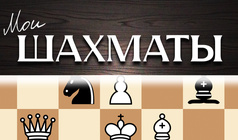
My Chess is a browser-based chess simulator that stands out in the cards category. Unlike standard card games, the entire strategy here relies on the "Castling" mechanic, which moves the King and Rook simultaneously in a single turn. If you are used to solitaires, this is a solid logic test.
Gameplay follows traditional rules where you move pieces across the board to checkmate the opponent's king. Dragging and dropping pawns and knights or clicking a target square controls the action, and the system prevents any illegal moves. Every turn requires a decision to either capture an opponent's piece or fortify your own position by controlling the center of the board. There are no extra power-ups or levels, just pure strategy and the math of a chess match.
This is for players who enjoy a thoughtful pace and want to play chess directly in a browser without installing anything. It works well for beginners learning basic movements or experienced players looking for a quick mental workout.
Tip: Focus on controlling the central squares (e4, d4, e5, d5) in the first minute, as this gives your pieces more freedom to maneuver.
How to Play
Move your pieces according to traditional chess rules. Checkmate your opponent's king to win the game.
FAQ
- What is the goal of the game?
- To win the match by delivering checkmate to the opponent's king.
- Is castling allowed?
- Yes, the castling mechanic is available if the King and Rook have not moved and the path between them is clear.
- How do controls work?
- You move pieces by dragging and dropping or clicking, following the movement rules for each piece type.
Similar Games

Пасьянс Любимых Слов
Goat: Pair Match

Пазл Пасьянс: Ежедневные пазлы
Classic Domino
Domino Legend

Preferans Multiplayer
Checkers
Solitaire: Classic Patience

Domino Ru